
PDF reader with annotation tools
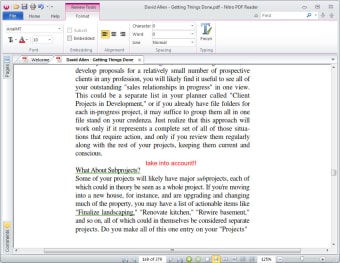
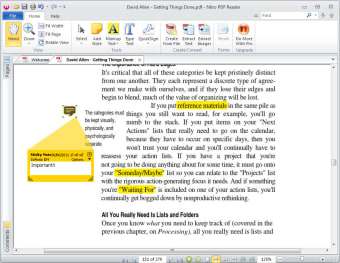
Nitro PDF Reader is a free business and productivity tool by Nitro PDF Software. The program offers a suite of tools designed to enhance your interaction with PDF documents. You can also highlight, underline, and cross out text, making it easy to mark up documents for review or collaboration.
Top Recommended Alternative

Nitro PDF Reader’s ability to insert notes and comments is another standout feature. These annotation tools are intuitive and easy to use, making this program a useful tool for students, professionals, and anyone who regularly works with PDFs. Plus, it can run without issues on lower-end hardware and outdated software.
More than just a PDF reader
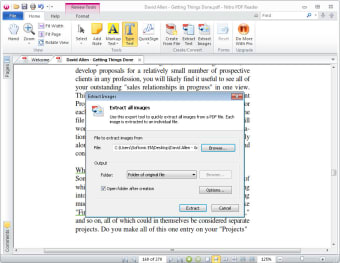
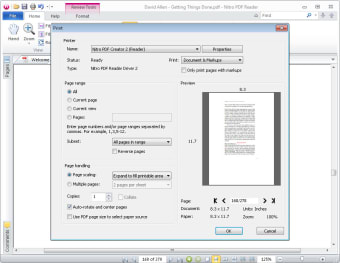
Beyond annotation, Nitro PDF Reader offers many practical features, such as an image extractor. Similarly, the text extraction feature allows users to save the PDF text to a plain text file, removing formatting and making it readily editable in other applications. Another standout feature is the virtual printer functionality. This allows users to convert any document to PDF, provided the application used to open the document has printing capabilities.
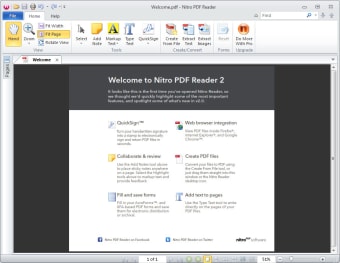
The user interface of the program is clean and well-organized. The program's layout is intuitive, making it easy to use its features and making it friendly for new users. Recent updates include optimizations to the installer and Windows Vista/7 file browser integration simplification. The resolved issues, such as the correction of comment print settings, Unicode character display, and PowerPoint link handling, are also repaired and optimized for ease of usage.
While the program’s overall feature set is enough, advanced editing features might be lacking for professionals with highly specialized usage. This is not necessarily a con for the target audience of a free reader, but it's worth noting. Another issue to keep in mind is its compatibility. The tool is designed primarily to work for older hardware and software, but newer machines can experience sudden crashes and freezes when using it.
Core updates and new AI tools in version 14.43
The latest version 14.43 of Nitro PDF Reader focuses on making heavy document tasks much easier through a new built-in AI assistant. Instead of manually reading every page of a long contract or a technical guide, you can now use a chat sidebar to ask the software questions about the content. It can instantly summarize long chapters or translate text into different languages.
Another useful addition is the Smart Redact tool, which helps protect your private information automatically. Rather than searching for sensitive details one by one, the software scans the file to find things like addresses or ID numbers and hides them for you. The program has also updated its file format to the modern PDF 1.7 standard by default. This ensures that any file you create is compatible with current security protocols and works perfectly when shared with other professional software systems.
General performance is also much more stable in this version, particularly when handling large files with many images. The software now manages your computer's memory better, so you will notice that pages scroll more smoothly and the application is less likely to freeze during big tasks. Additionally, the text recognition (OCR) feature has been improved to be more accurate when turning scanned papers into digital text.
A nice alternative PDF reader
In conclusion, Nitro PDF Reader offers a compelling combination of features, performance, and usability. It provides a robust platform for viewing, annotating, and manipulating PDF documents. The inclusion of features, such as image and text extraction, along with virtual printer functionality, adds significant value. Despite some minor compatibility issues, its clean interface and ongoing improvements further solidify Nitro PDF Reader as a strong contender in the crowded PDF reader market.